SimBrief Operational Flight Plan (OFP)
The SimBrief OFP application integrates with your SimBrief account to display your full operational flight plan, fuel calculations, route waypoints, and weather reports directly in the cockpit.
Setting Up Your SimBrief Account
- Open the SimBrief app from the EFB home screen (or navigate to Settings).
- Enter your SimBrief Username or numeric Pilot ID.
- Tap Save & Fetch.
- AlphaFloor EFB will query the SimBrief API and load your latest dispatch package. Your username is saved locally, so you only need to enter it once.
Application Sections
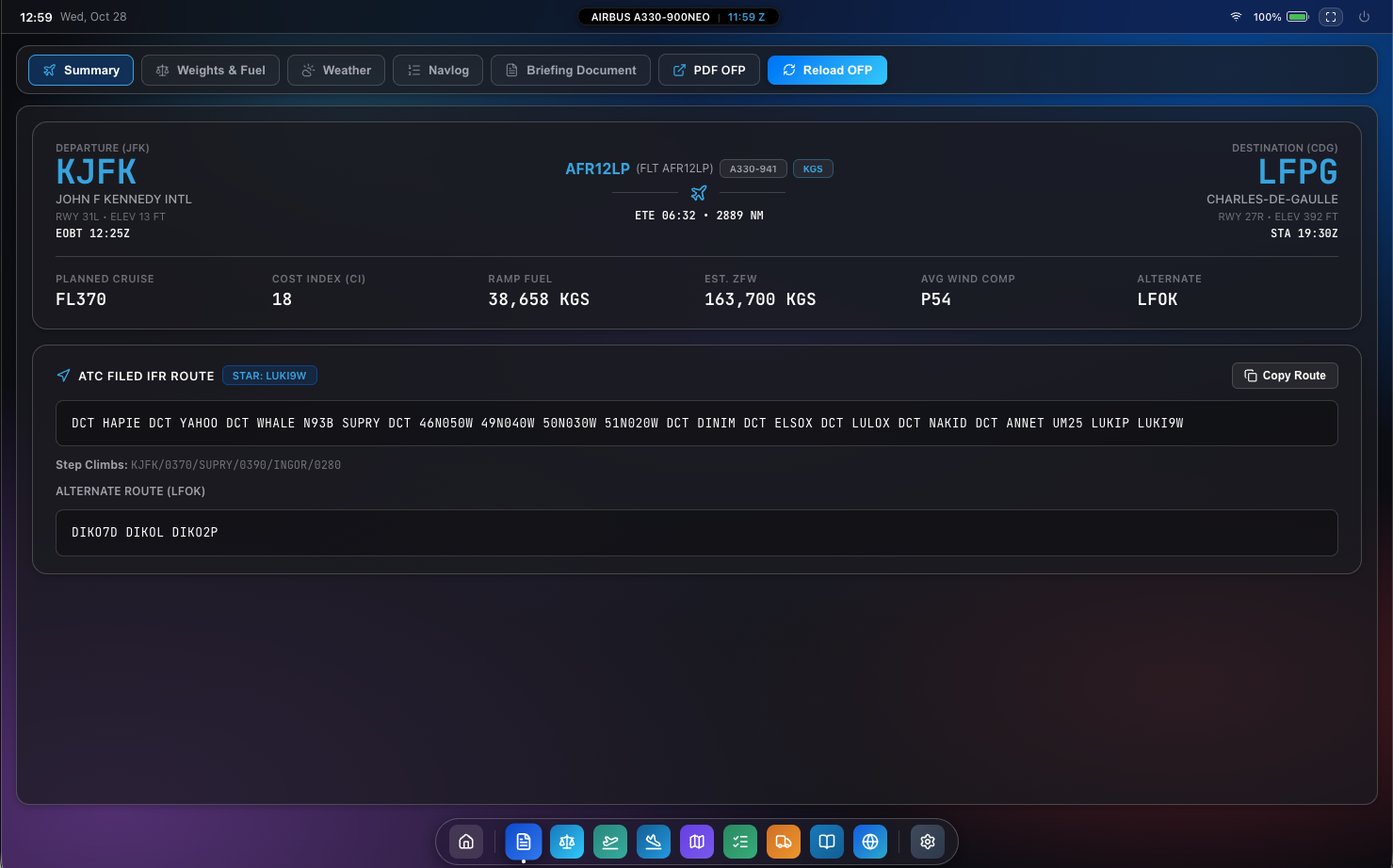
1. Flight Overview
Displays critical flight details at the top of the screen:
- Flight Number & Call sign (e.g.,
AFR1234) - Departure & Arrival Airports with scheduled departure times and estimated flight duration
- Planned Runways & ATC Filed Route: Filed route text includes planned departure and arrival runways for streamlined FMC/MCDU flight plan entry.
- Alternate Airport(s) with distance and reserve fuel requirements
- Cruising Altitude / Initial Flight Level (e.g.,
FL350) - Airframe Type & Registration
2. Fuel & Weight Breakdown
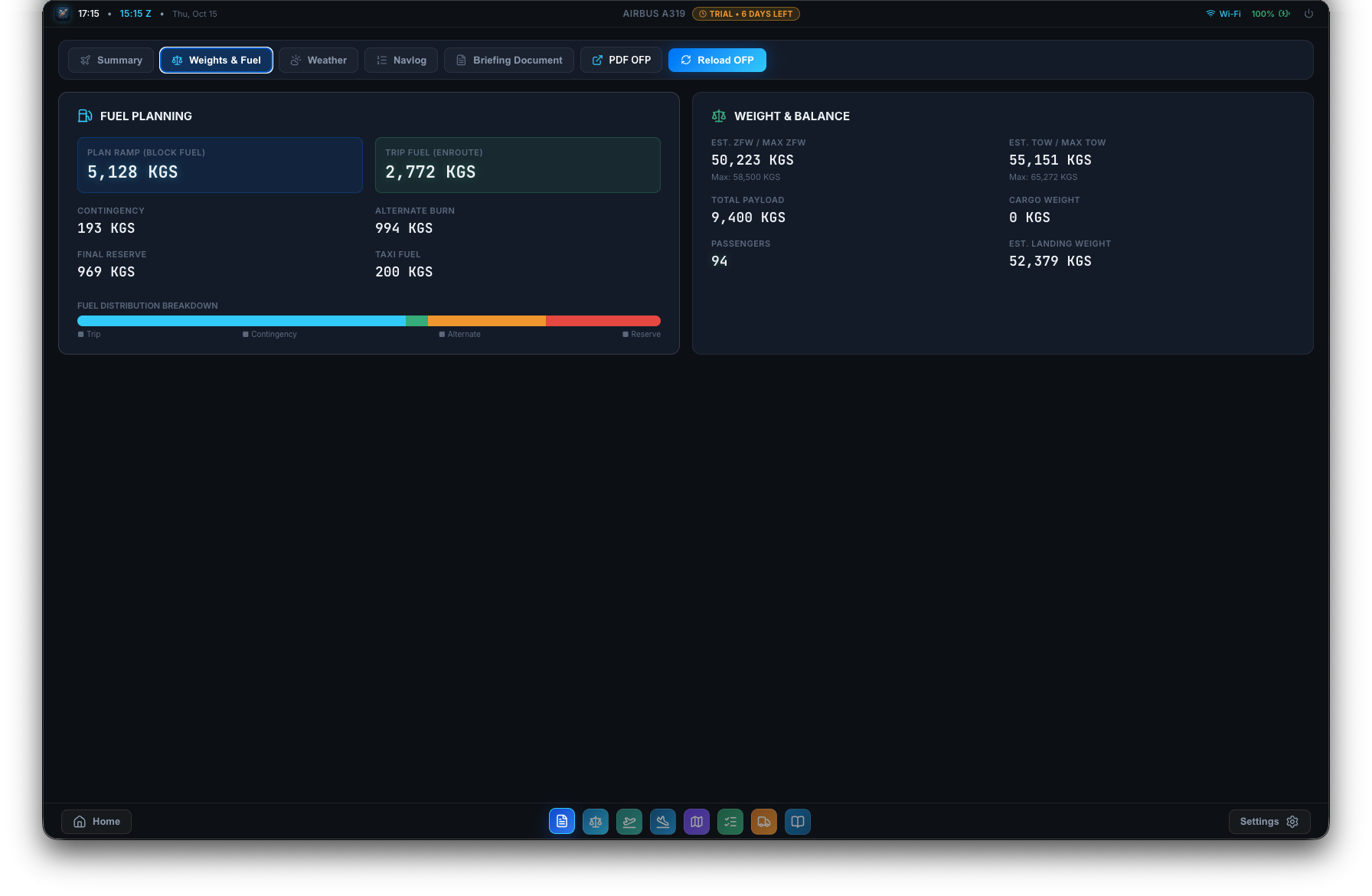
Summarizes planned fuel figures and weights for easy cross-checking with your MCDU. The app automatically detects and displays all quantities in either Kilograms (KGS) or Pounds (LBS) according to the units selected in your dispatch flight plan:
- Block Fuel: Total fuel required on board before pushback.
- Trip Fuel: Calculated burn for the planned route.
- Contingency & Reserve Fuel: FAR/EASA regulatory reserves.
- Alternate Fuel: Fuel required to divert to the planned alternate.
- Zero Fuel Weight (ZFW): Planned aircraft empty weight plus payload.
- Takeoff Weight (TOW): Calculated weight at brake release.
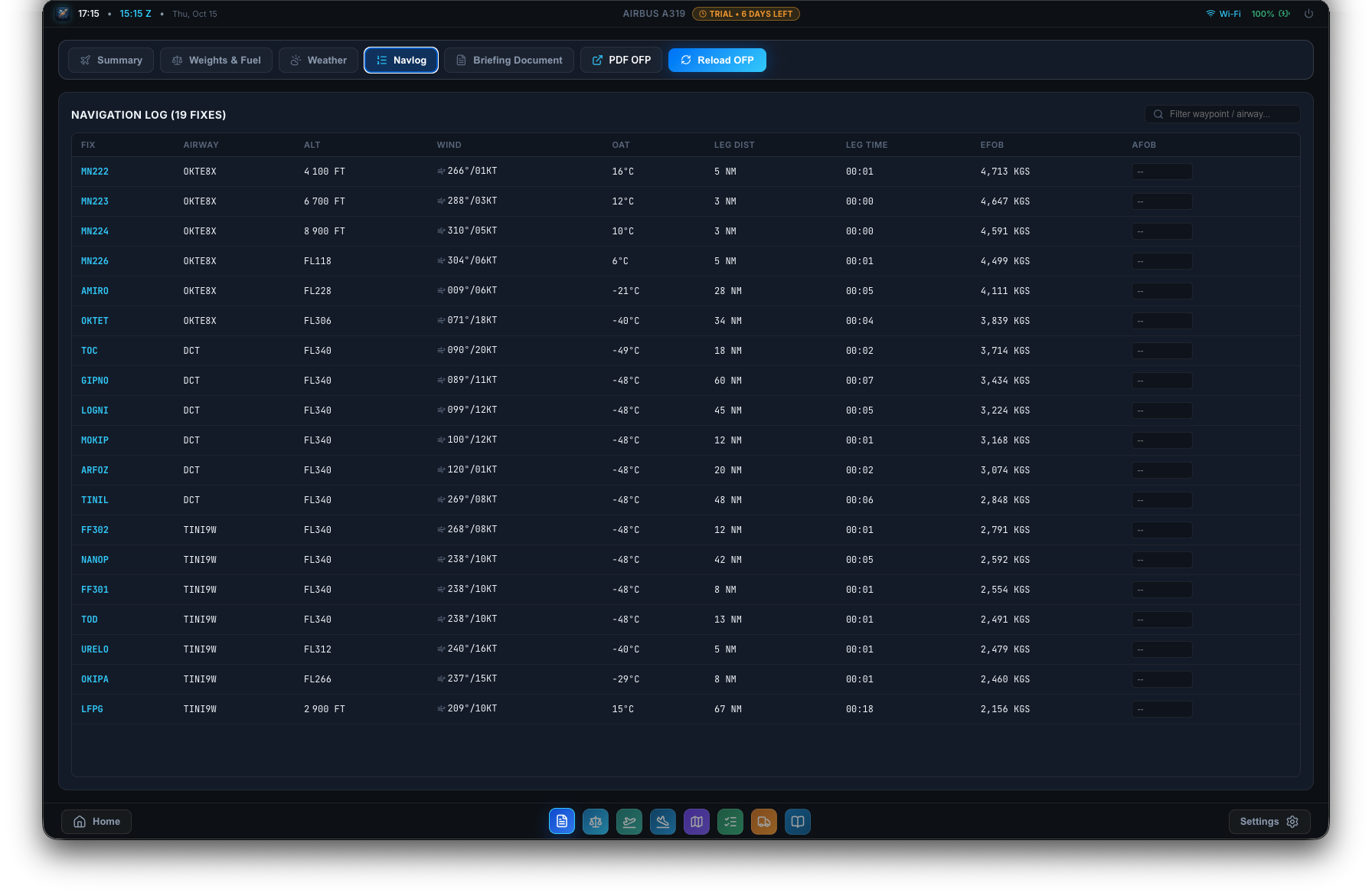
3. Route Navigation Log (Navlog)
Provides a scrollable navigation log listing:
- Every airway, fix, and waypoint along the cleared routing.
- Planned flight levels.
- Forecast winds aloft (direction and speed).
- Leg distance and estimated time.
- Estimated Fuel On-board and editable Actual Fuel On-board entries to track fuel burn during flight.
4. Weather, METAR & TAF
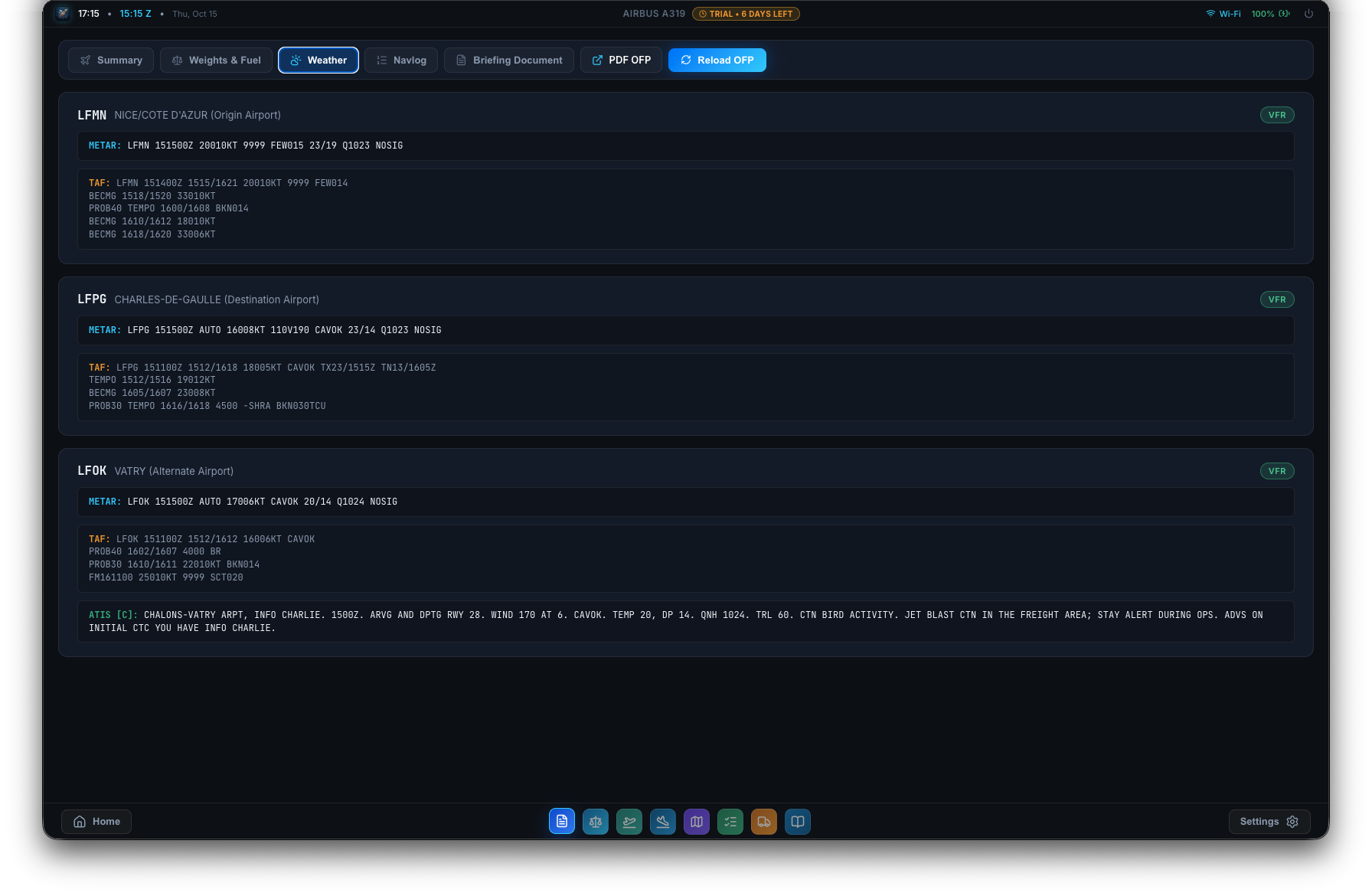
Aggregates real-time weather reports for all airports along your itinerary:
- Departure Weather: Raw METAR, decoded wind, altimeter setting (QNH/inHg), temperature, and runway surface reports.
- Destination Weather: Current conditions and terminal aerodrome forecasts (TAF).
- Enroute Alternates: Quick-reference weather cards for emergency diversion planning.
5. Full PDF Briefing Package
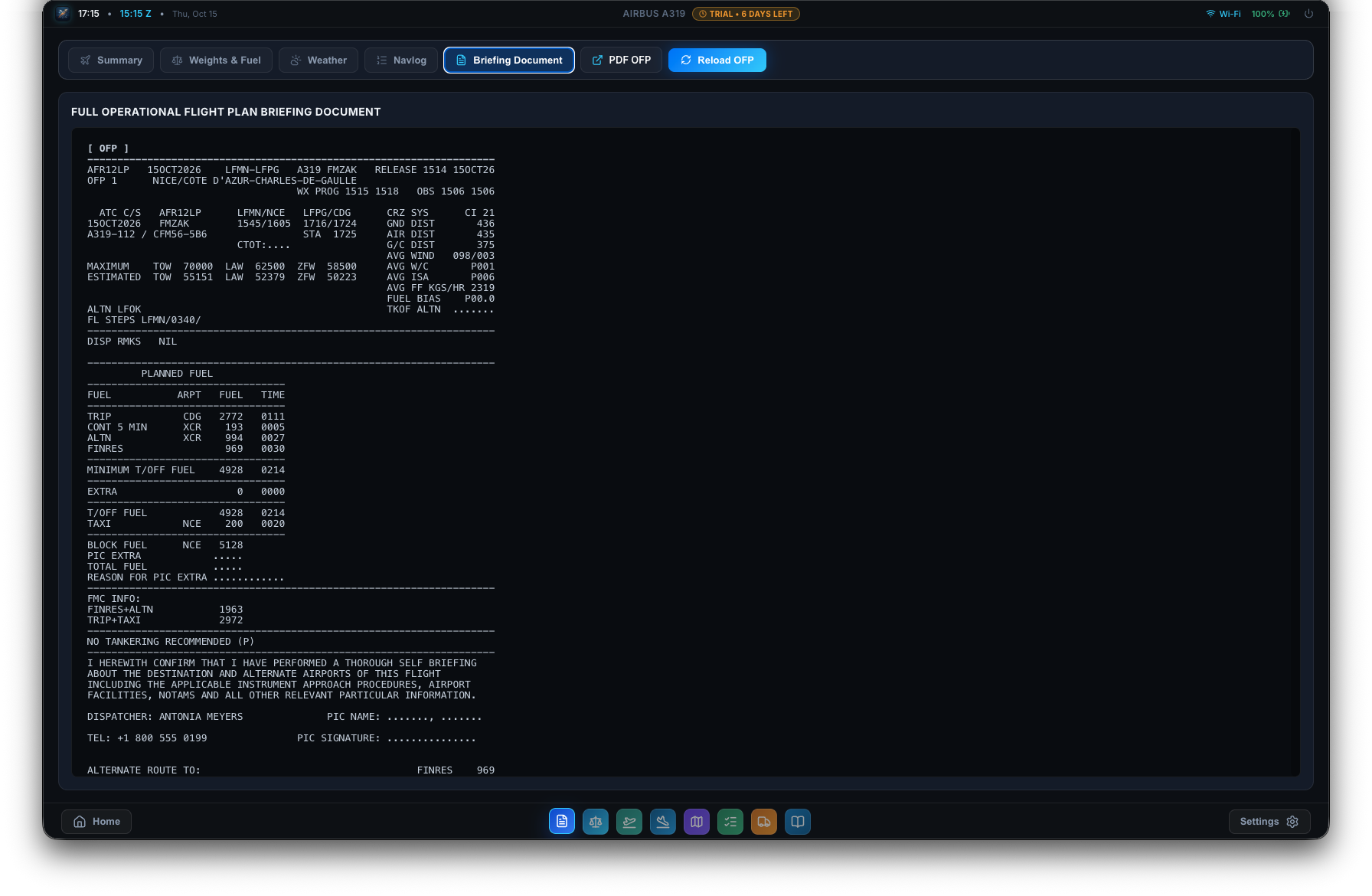
View the complete, multi-page operational flight plan document formatted exactly as generated by your airline dispatch: