Checklists
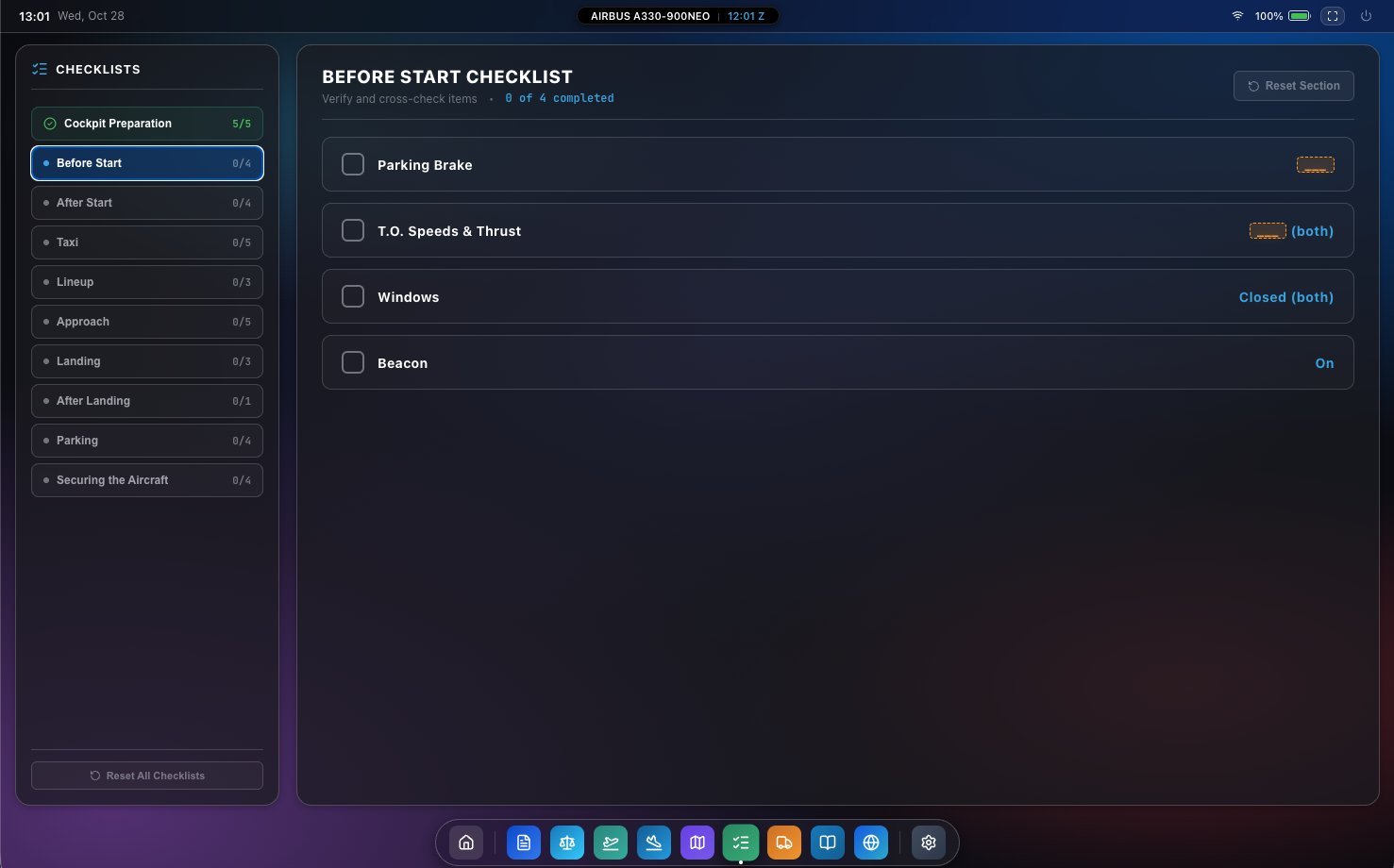
The Checklists application provides interactive operational checklists designed to streamline cockpit workflows, reinforce SOP adherence, and enhance situational awareness. Checklists are automatically loaded to match the active aircraft type.
Airframe-Tailored Checklist Flows
AlphaFloor EFB includes built-in operational checklist flows tailored to specific aircraft families:
1. Commercial Airliner Flow
- Cockpit Preparation
- Before Start
- After Start
- Taxi
- Line Up
- Approach
- Landing
- After Landing
- Parking
- Securing the Aircraft
2. Diamond DA42 Flow
- Before Start
- Engine Start
- After Start
- Taxi
- Before Take-Off
- After Take-Off
- Descent & Approach
- Landing & After Landing
3. Cessna 172 Flow
- Preflight
- Engine Start
- Before Taxi
- Taxi
- Engine Runup
- Before Takeoff
- Takeoff
- Climb
- Cruise
- Descent
- Before Landing
- Final Landing
- After Landing
- Engine Shutdown
- Securing Aircraft
Operating Checklists
- Checking Items: Click or tap any checklist line item. The item highlights in green with a checkmark.
- Sub-Items: Complex procedural checks include expandable sub-items that can be verified individually.
- Headers & Reminders: Clear section dividers and prominent reminder notes highlight operational limitations.
- Phase Navigation: Use the sidebar to quickly navigate between flight phases as your flight progresses.
- Resetting Checklists: Click Reset Phase to clear items in the active phase, or Reset All to reset the entire checklist suite for a new flight leg.
Custom Checklists (user_checklists.json)
You can customize checklists to match your airline's specific Standard Operating Procedures (SOPs) or virtual flight operations:
- Locate the example template in your plugin directory:
- Make a copy of this file and rename it to:
- Open
user_checklists.jsonin any text editor. It supports section titles, challenge/response pairs, sub-items, section headers, and reminder notes:
[
  {
    "title": "Cockpit Preparation",
    "items": [
      { "item": "Gear Pins & Covers", "check": "REMOVED" },
      { "item": "Fuel Quantity", "check": "___ KG/LB" },
      { "item": "Signs", "check": "ON" }
    ]
  },
  {
    "title": "Before Take-Off",
    "items": [
      { "item": "LIMITATION", "check": "100% = 5 MIN MAXIMUM", "reminder": true },
      {
        "item": "ECAM Memo",
        "check": "T.O. No Blue",
        "subitems": [
          "Auto Brk MAX",
          "Signs On",
          "Flaps Conf 1+F",
          "Spoilers Armed"
        ]
      }
    ]
  }
]