Landing Performance Calculator
The Landing Performance application calculates approach reference speeds, stopping distances, factoring margins, and engine-out go-around climb gradients for arrival planning.
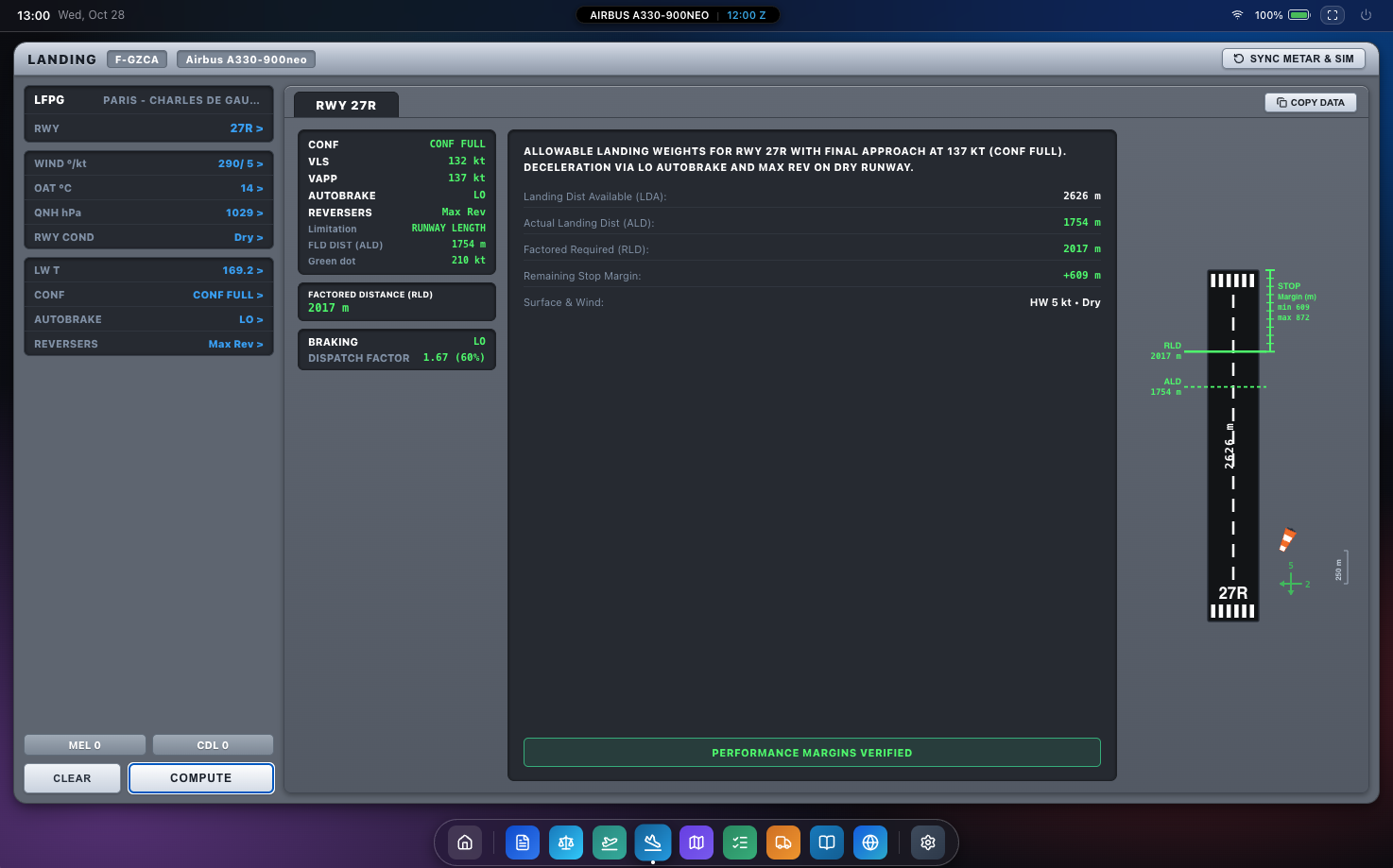
Landing Calculation Workflow
Prior to descent (during the descent and arrival briefing):
- Airport & Runway Selection: Select your planned destination or diversion aerodrome and landing runway. Runway length, slope, and elevation are loaded automatically.
- Weather & Runway Surface Conditions: Enter surface wind, temperature, barometric pressure (in hPa or inHg), and runway condition (Dry, Good, Medium, Poor).
- Aircraft Landing Weight: Confirm estimated landing weight (in Tonnes or 1000 lbs according to your configured unit system in Settings). When syncing with SimBrief, planned landing weights from LBS or KG flight plans are imported seamlessly.
- Flaps & Deceleration Devices: Select landing flap setting, reverse thrust mode, and wheel braking method (Autobrake Low/Medium/Max or Manual).
- Compute Performance: Tap Compute to evaluate arrival performance.
- Review Results:
- Approach Speed ($V_{APP}$): Target approach speed including wind correction.
- Landing Distances: Operational landing distance (unfactored) and dispatch factored landing distance.
- Runway Margin: Visual stop margin indicator showing remaining runway beyond rollout.
- Engine-Out Go-Around Gradient: Computes the single-engine missed approach climb gradient percentage to verify compliance with published missed approach procedure gradient requirements.