 Modern Electronic Flight Bag · X-Plane 12
The Modern Electronic Flight Bag for X-Plane 12
Fly with native 3D cockpit integration on supported airframes, or bring the EFB to any aircraft via the resizable 2D floating window and Wi-Fi streaming to your iPad, tablet, or phone.
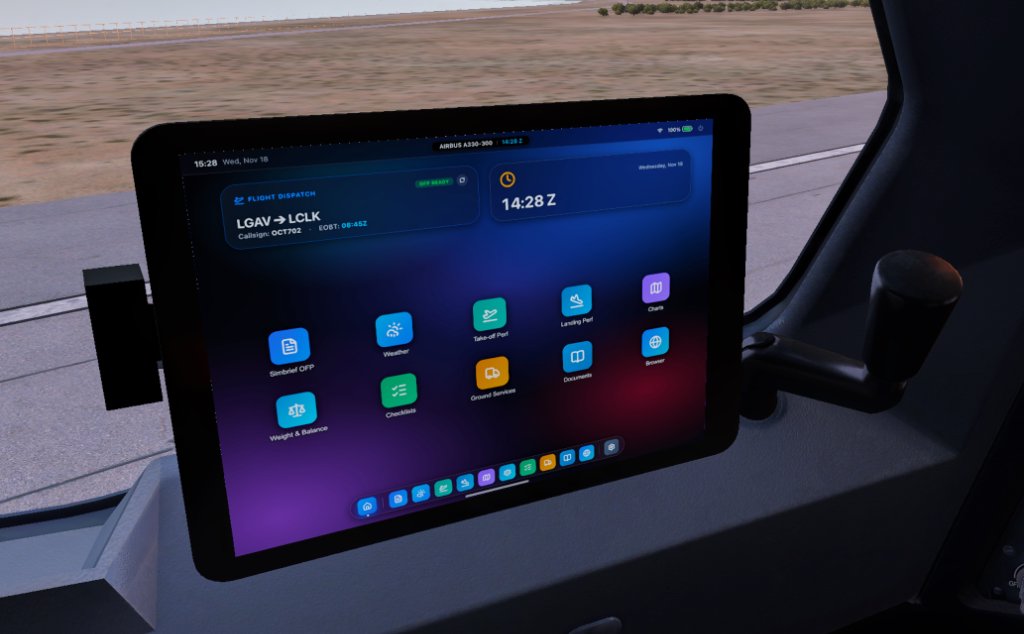
In-Cockpit 3D Tablet — Laminar A330-300
Standalone 3D tablet hardware model injected directly into the cockpit via the modern X-Plane Avionics API
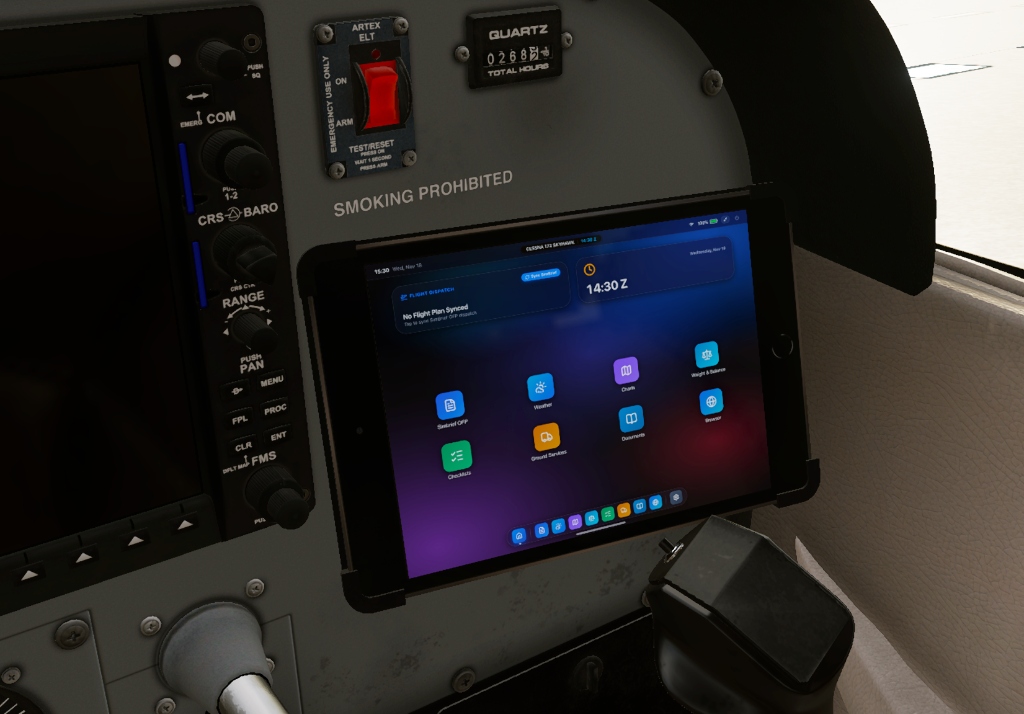
Cockpit EFB Integration — Airfoillabs C172NG
Seamless touchscreen integration rendered directly onto the Airfoillabs Cessna 172NG Digital cockpit panel display
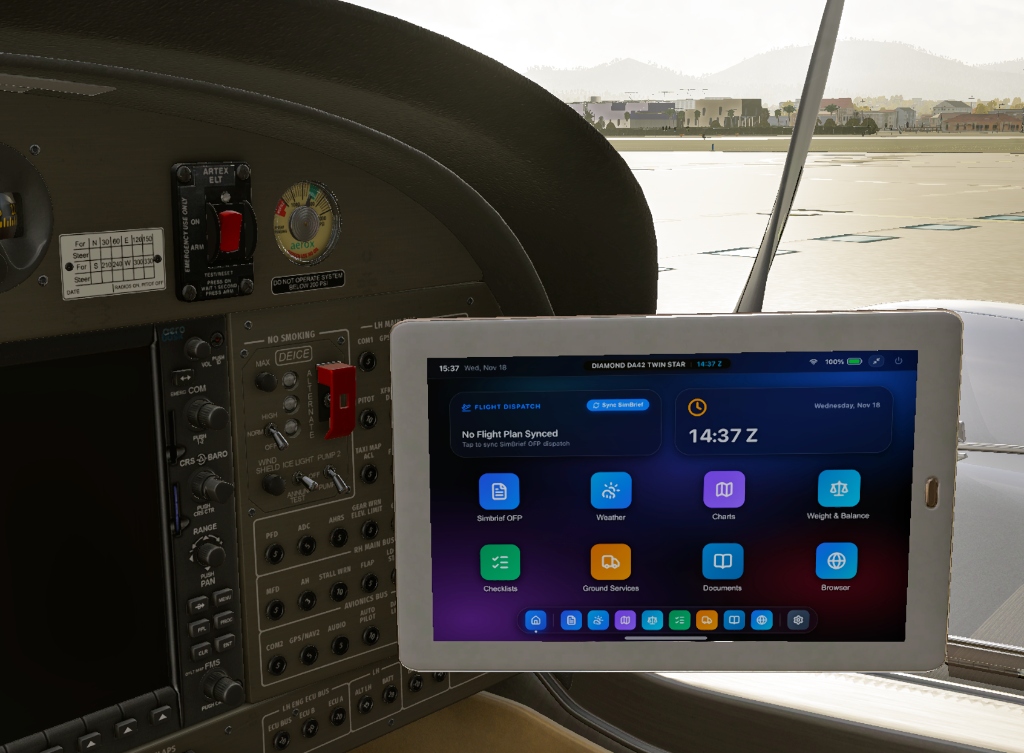
Cockpit EFB Integration — Aerobask DA42NG
Native touchscreen integration rendered directly onto the Aerobask Diamond DA42 NG 3D cockpit tablet
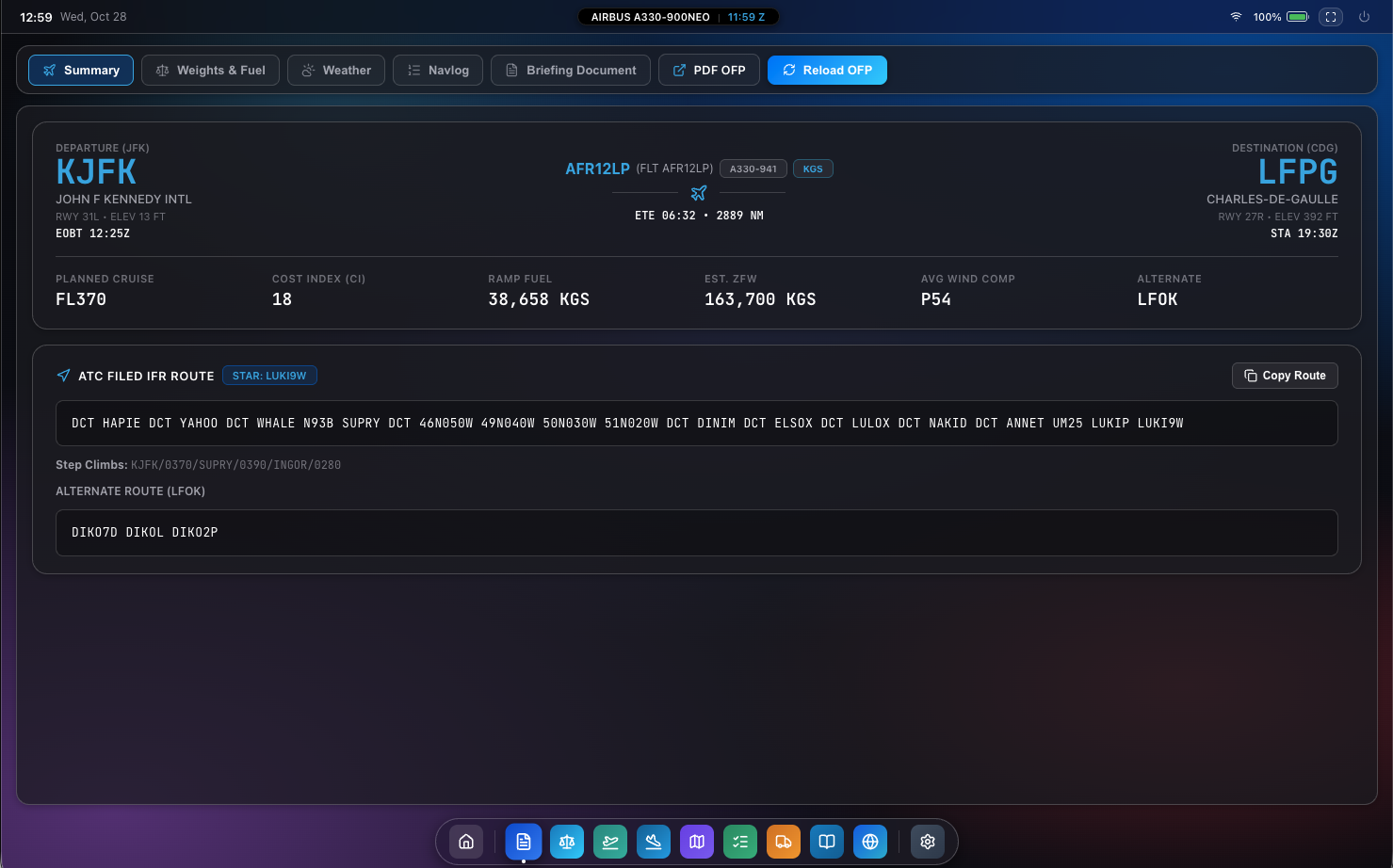
SimBrief Flight Plan
One-click dispatch package import with detailed route summary, fuel calculations, and navlog
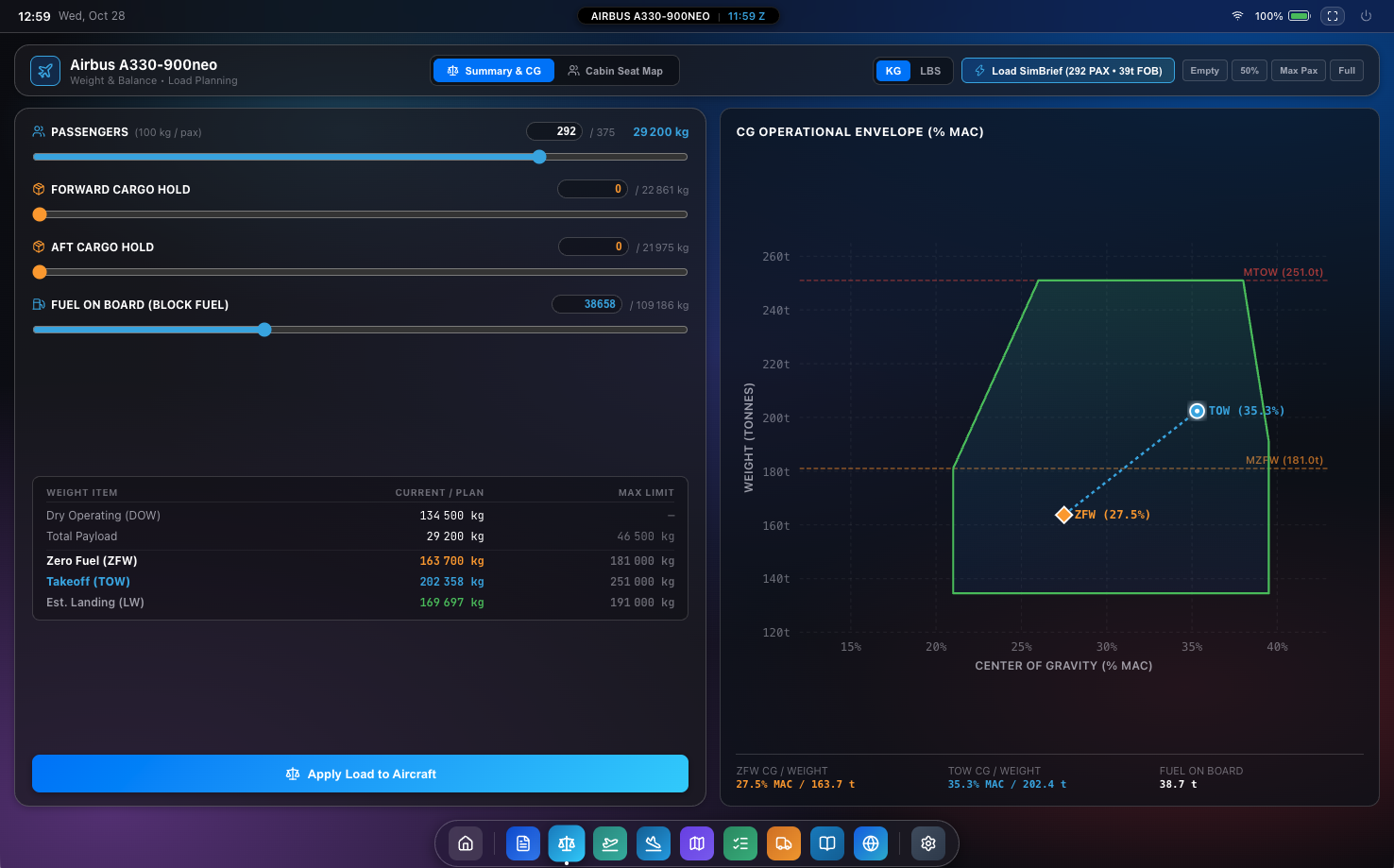
Weight & Balance
Interactive passenger cabin boarding, cargo hold distribution, and dynamic CG flight envelope
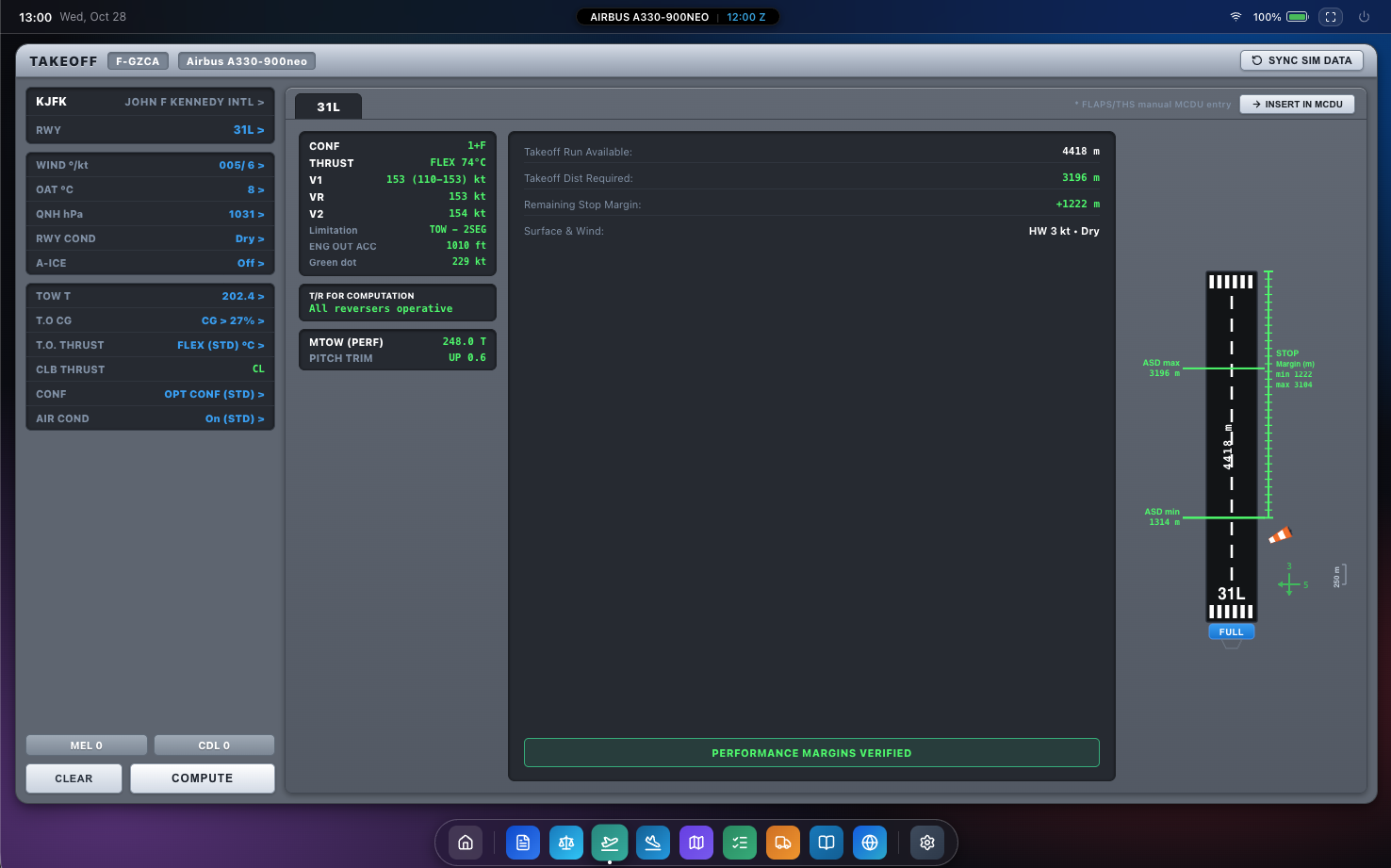
Takeoff Performance Calculator
Assumed FLEX temperature, V1/VR/V2 speeds, and direct FMGS / MCDU scratchpad sync
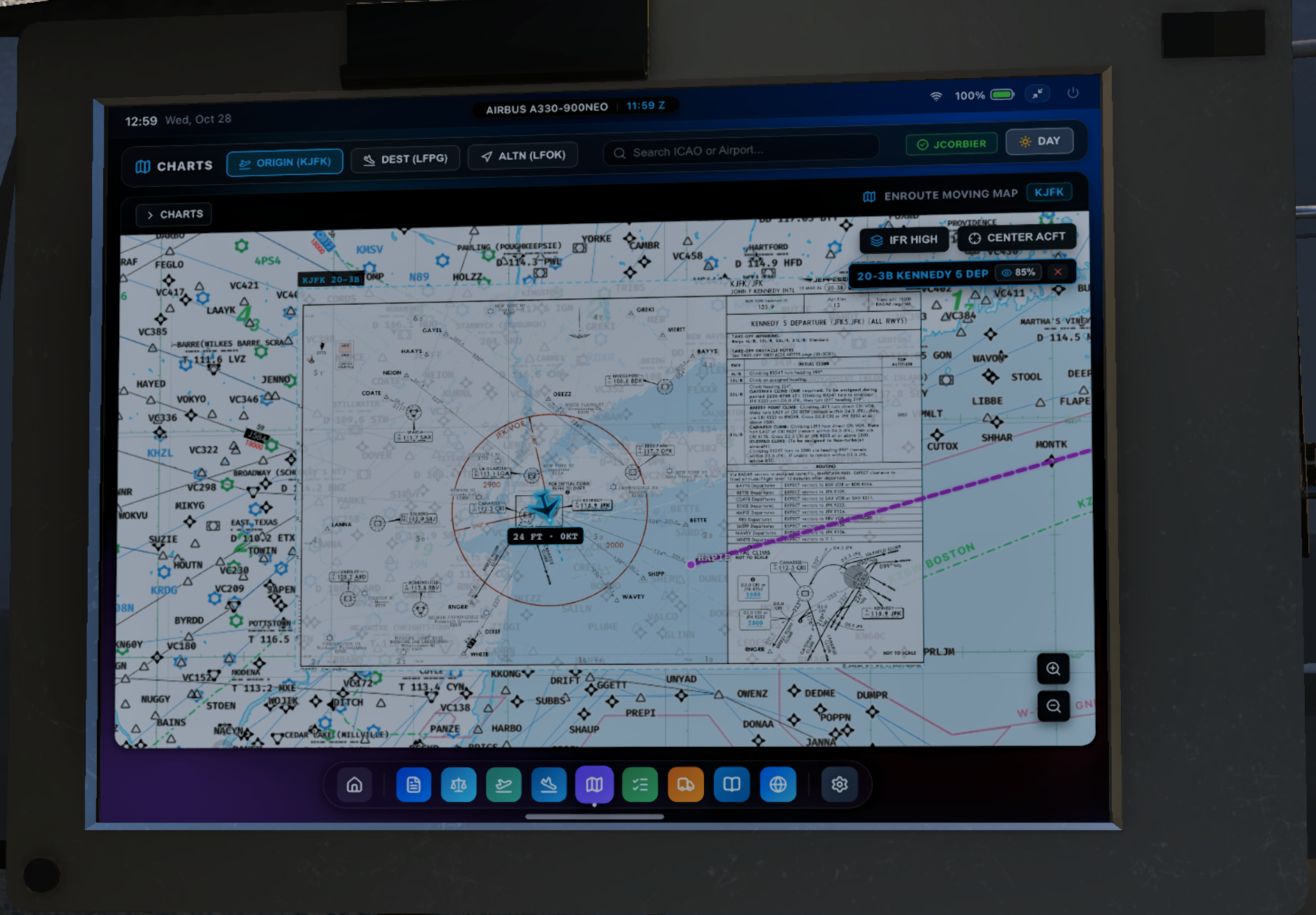
Navigraph Charts & Moving Map Integration
Worldwide Jeppesen charts, terminal procedures, and georeferenced real-time GPS position overlay
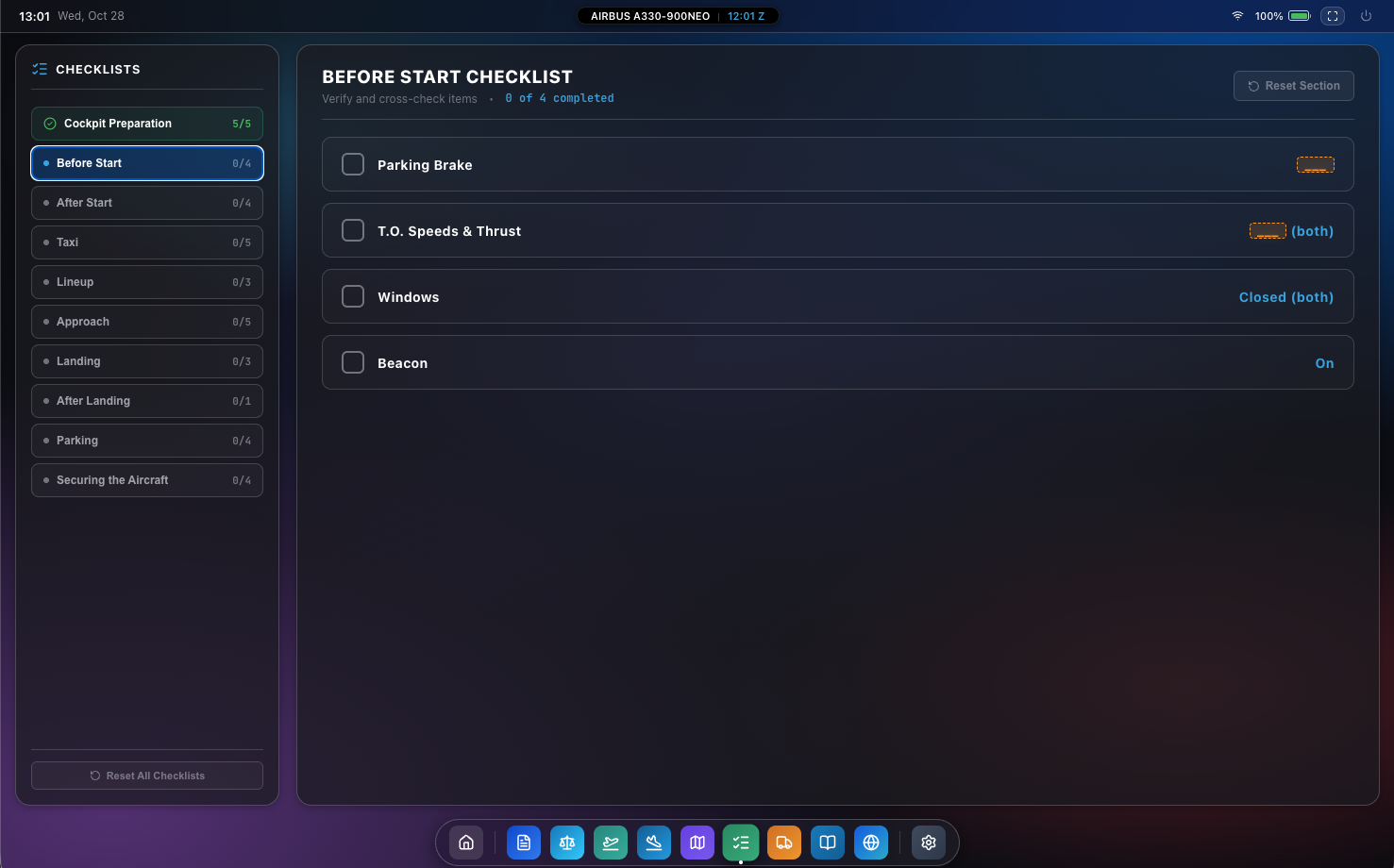
Interactive Operational Checklists
Challenge-and-response operational checklists for airliner and GA flight phases with custom JSON support
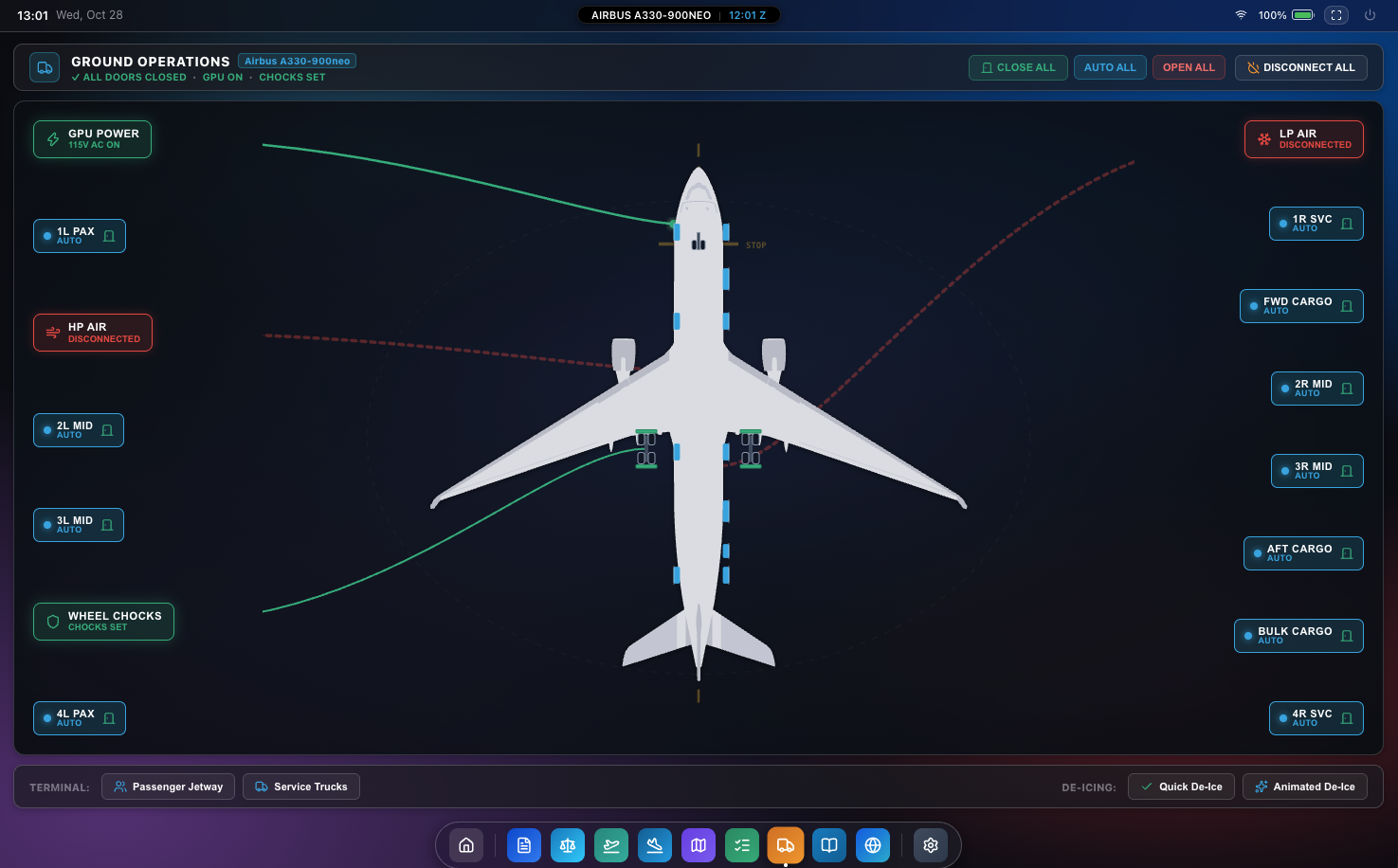
Doors & Ground Services
Interactive overhead aircraft schematic controlling passenger doors, cargo hatches and GPU
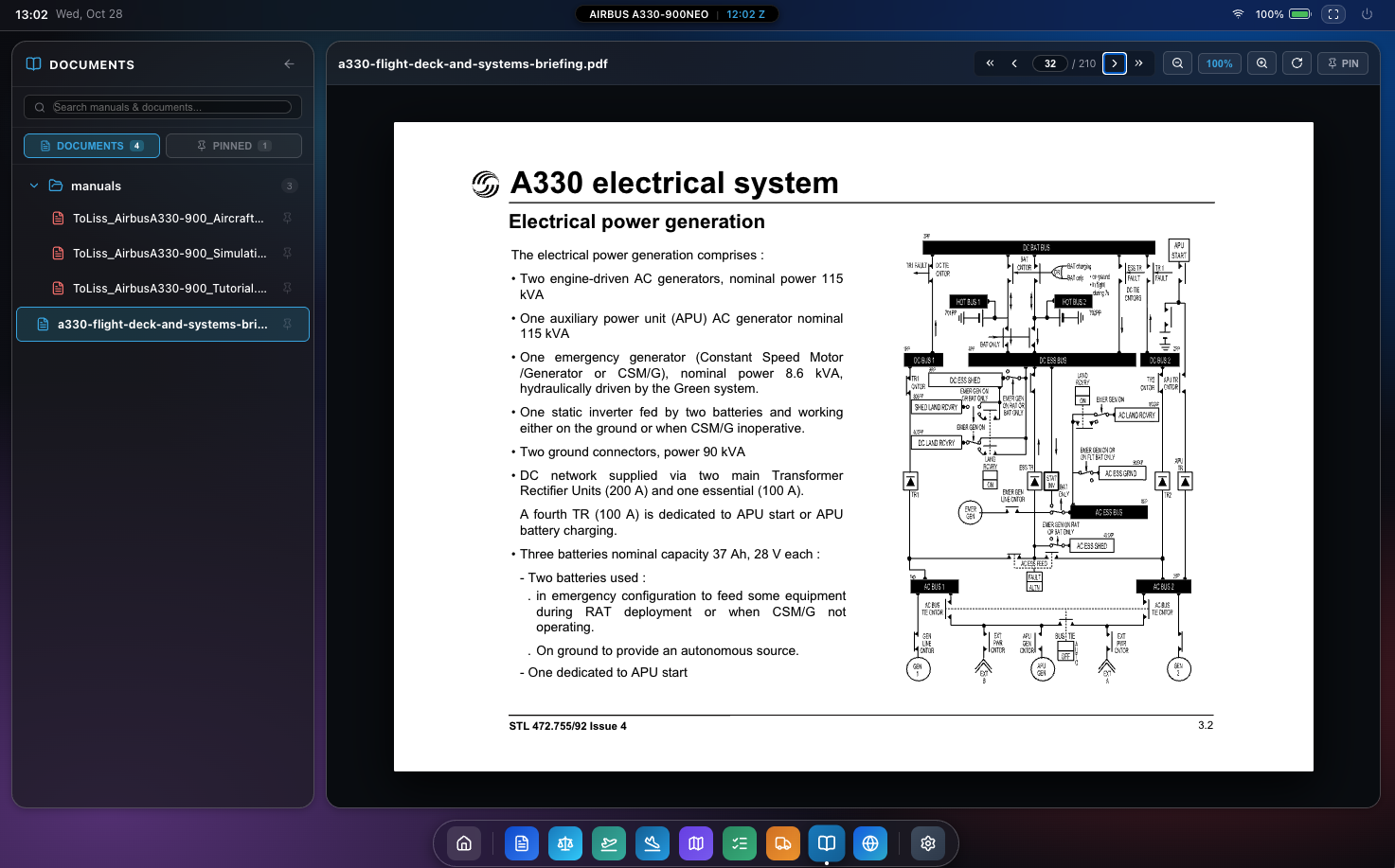
Documents & PDF Viewer
In-cockpit PDF reader for Quick Reference Handbooks, airline SOPs, and company flight manuals
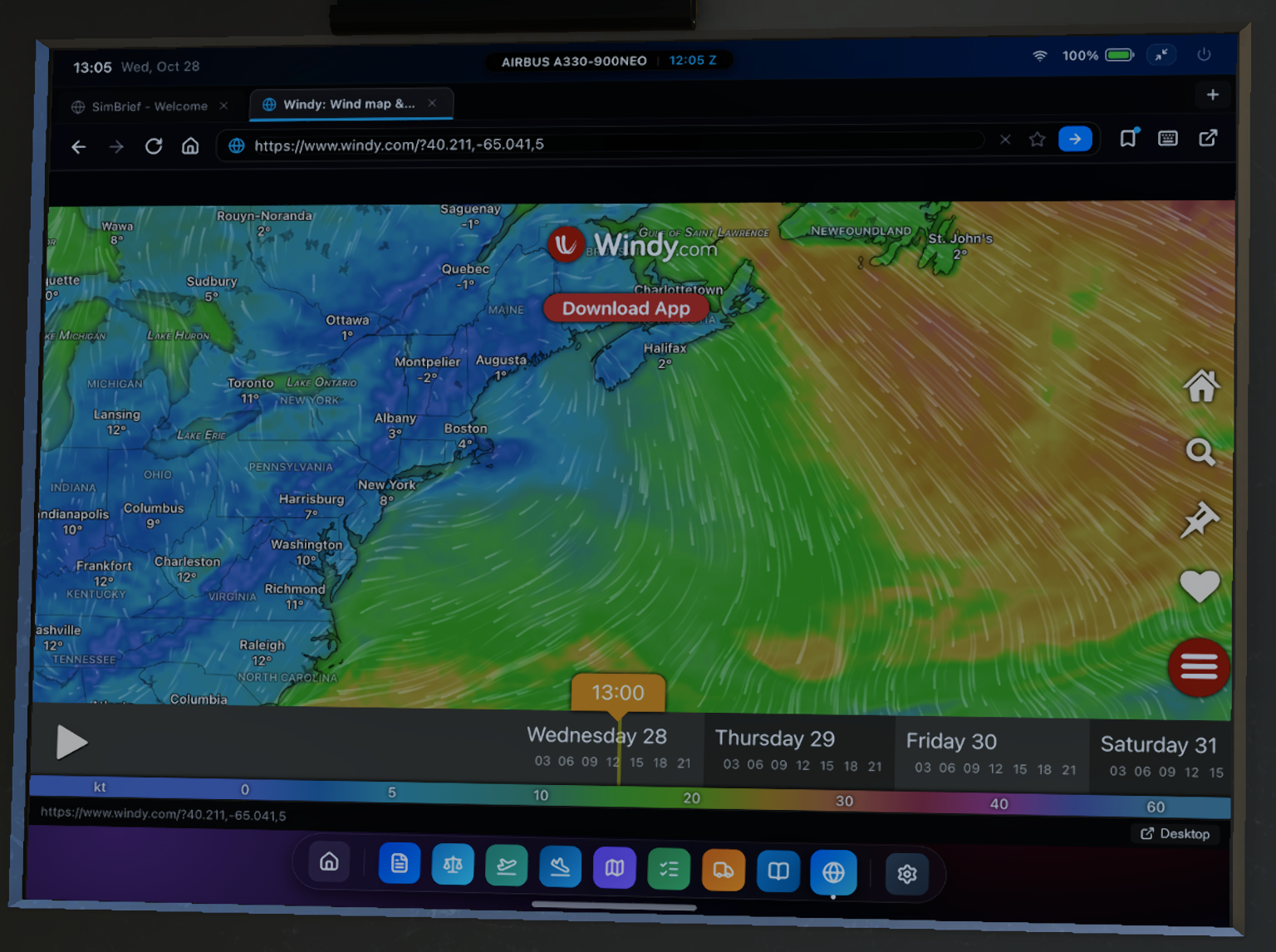
Embedded Web Browser
Browser with tabs and bookmarks support
One Plugin. Three Ways to Fly.
Whether you prefer a native 3D cockpit tablet display, a resizable 2D floating popup window, or an interactive touch experience on your iPad at your desk, AlphaFloor EFB delivers all three simultaneously.
Native 3D Cockpit Integration
Renders directly into 3D cockpit tablet displays on supported aircraft. On the Laminar Research A330-300, AlphaFloor EFB injects a standalone 3D tablet model directly via the modern Avionics API.
- 3D Tablet Injection: Exclusively for Laminar Research A330-300
- Cockpit EFB Screen Takeover: ToLiss fleet, Aerobask DA42, and Airfoillabs C172
Standalone 2D Popup Window
Fly any aircraft in X-Plane 12 with a native, movable, and resizable 2D floating window accessible anytime from the simulator menu.
- Quick toggle via Plugins menu or custom keyboard shortcut
- Freely resizable and dockable anywhere across your displays
- Enables Generic Mode in any aircraft where cockpit tablets aren't available
Fly with Any Tablet Over Wi-Fi
Connect your iPad, Android tablet, phone, or second PC screen simply by opening your web browser. No App Store downloads, cables, or third-party client apps to install.
- Instant real-time synchronization between the cockpit and your tablet
- Responsive touch controls with pinch-to-zoom on maps and charts
- 100% private and local: runs entirely across your home Wi-Fi network
Everything you Need
Designed for flight simmers, bringing your essential flight planning, performance tools, and aircraft controls into one unified EFB.
Takeoff & Landing Performance
Accurate performance calculation engines. Computes optimal flexible temperature, flap configurations, V1, VR, V2 speeds, required stopping distance, obstacle margins, and single-engine go-around climb gradient.
FMGS MCDU Scratchpad SyncWeight, Balance & CG Envelope
Real-time Center of Gravity (% MAC) calculations with an interactive dynamic envelope diagram for airliners and generic payload/fuel station loading for any aircraft.
Direct Aircraft Payload InjectionSimBrief OFP Dispatch Viewer
Fetch your latest SimBrief Operational Flight Plan with a single click. Browse routes, waypoint wind components, alternate airports, contingency fuels, step climbs, and passenger loadsheets in a clean, legible format.
One-Click Dispatch ImportNavigraph & PDF Documents
Seamless Navigraph Charts integration. Built-in PDF reader to display company manuals, SOPs, and airport charts.
Navigraph & Custom PDF SupportGround Services & Checklists
Manage airliner doors, GPU, air carts, and GA servicing equipment (tie-downs, chocks, engine covers, flags) directly from dynamic airframe schematics. Includes airframe-tailored operational checklists.
Ground Services & ChecklistsEmbedded Web Browser
Embedded cockpit web browser with tabs and bookmarks support.
Real World Tablet EmulationTry Free. Own for 11.99€.
No recurring subscription fees. Full access during your 7-day free trial. A single one-time payment for lifetime access on up to 3 machines.
7-Day Free Trial
Test every single feature in your simulator risk-free
- All EFB apps unlocked
- Simultaneous 3D cockpit & external tablet access
- Broad aircraft support + deep airframe profiles (Airbus, C172, DA42)
- SimBrief & Navigraph charts integration
- Instant in-app trial start (no credit card required)
Lifetime License
One-time purchaseFull license for your home flight simulator setup
- Everything in the trial, plus:
- Up to 3 machines per license (Mac, Windows, Linux)
- Instant automated activation and license key delivery
- Downloadable license file (
AlphaFloorEFB.lic) for easy activation - All updates included within version 1.x
- Offline validation — fly anywhere without internet required
- 14-day refund policy for technical defects
AlphaFloor EFB License Terms
Transparent rules designed to respect your hardware and privacy.
1. Multi-Machine Activation (Up to 3 Devices)
Your 11.99€ purchase entitles you to activate the software concurrently on up to three (3) personal computers (desktop PC, laptop, or Mac) owned and operated by the same pilot. External tablets connected over Wi-Fi do not consume machine activations.
2. Exportable License Key File (AlphaFloorEFB.lic)
Upon purchase, you immediately receive a license key string and can download your standalone AlphaFloorEFB.lic file. Simply place this file into the plugin directory on your other computers for effortless automatic activation.
3. Offline License Verification
Once activated, AlphaFloor EFB validates your license completely offline on your computer. You never need an ongoing internet connection while you are in flight.
4. Updates & 14-Day Refund Guarantee
Your purchase includes all minor and major updates within the 1.x release cycle. If you encounter technical defects or hardware incompatibilities that cannot be resolved within 14 calendar days, contact support for a full refund.
Download & Latest Release
Download the latest build for X-Plane 12. Includes a 7-day full-featured free trial.
✓ 7-day unrestricted trial included out of the box. No credit card or account required.
What's New in v1.0.0
Initial release.
Features
- In-cockpit EFB for the Laminar A330-600, ToLiss aircrafts, Aerobask Diamond DA42NG and Airfoillabs Cessna 172 Digital.
- Popup window EFB available for other aircrafts.
- Remote EFB available to display it on an external tablet or browser.
- Up to 8 applications available depending on the aircraft:
- Simbrief OFP: download and consult all OFP details directly in the EFB
- Weather: show weather map along the planned route
- Takeoff and Landing performance calculators for Airbus aircrafts
- Weight & Balance: manually configure load and fuel, with a seatmap view for Airbus aircrafts
- Charts: display Navigraph charts in the EFB
- Checklists: in-cockpit dynamic checklists
- Browser: integrated EFB browser
How to Install AlphaFloor EFB
Getting up and running takes less than two minutes.
Place in Plugins Folder
Download and extract the AlphaFloorEFB folder into your X-Plane 12 directory:X-Plane 12/Resources/plugins/AlphaFloorEFB/
Load Any Aircraft
Launch X-Plane 12 and load any aircraft. On supported aircraft, the 3D cockpit tablet immediately powers on; on any aircraft, open the 2D floating window from Plugins > AlphaFloor EFB > Show EFB Window.
(Optional) Connect Your Tablet
Open the Settings tab on the EFB to see your local LAN URL (e.g. http://192.168.1.42:8080). Type it into Safari on your iPad to fly with external touch controls!
Got Questions? We've Got Answers.
How does AlphaFloor EFB appear in the 3D cockpit?
AlphaFloor EFB powers the 3D pilot tablet screens inside the cockpit automatically. You don't need to configure anything in the aircraft—it is ready to fly as soon as you load any supported aircraft.
Which aircraft are currently supported?
AlphaFloor EFB provides tailored cockpit integrations for supported airframes and extends baseline flight bag capabilities to any aircraft in X-Plane 12:
- Injected 3D Virtual Cockpit Tablet: Exclusively for the Laminar Research Airbus A330-300 via X-Plane 12's modern Avionics API.
- Cockpit EFB Integration (Existing Screen Takeover): Exclusively for the ToLiss Airbus Fleet (A319, A320, A320neo, A321, A321neo / XLR, A330-900, A340-600), Aerobask Diamond DA42 NG, and Airfoillabs Cessna 172 Digital.
- Other Aircraft (Generic Mode): Operates in any X-Plane 12 aircraft via the resizable 2D floating popup window and Wi-Fi web tablet, providing SimBrief OFP flight plans, worldwide Navigraph charts, live weather radar, PDF documents viewer, checklist viewer, and standard fuel/payload loading.
Do I need an iPad or external tablet to use it?
No! You can use AlphaFloor EFB entirely inside the X-Plane 12 3D virtual cockpit using your mouse. However, if you have an iPad, Android tablet, phone, or second PC monitor on the same network, you can access the web EFB simultaneously.
How does the 7-day free trial work?
When you first load the plugin in X-Plane 12, click "Start Free Trial" in the license screen. You instantly receive 7 days of full, unrestricted access to all modular apps, performance calculators, and tablet streaming. No credit card is required.
How do I activate my license after purchasing?
After completing your purchase via Stripe, you will be redirected to our confirmation page displaying your license key and a button to download AlphaFloorEFB.lic. You can either copy-paste the key into the EFB license window or simply save AlphaFloorEFB.lic into X-Plane 12/Resources/plugins/AlphaFloorEFB/.